

If you’re building WordPress sites, you’ve probably heard the buzz around two page builders: Bricks and Etch. Both promise clean code and professional results, but they take completely different approaches to get there.
Here’s the thing. Bricks has been around since 2021 and has a proven track record with thousands of users. Etch? It’s the new kid on the block, still in pre-release but already making waves with over 1,500 early adopters who paid before even seeing it in action.
So which one should you choose? Let’s break it down.
The Core Philosophy: Where They Part Ways
This is where these two builders couldn’t be more different.
Bricks Builder was built to serve everyone. It strikes a balance between being accessible to beginners and powerful enough for developers. You get a visual drag-and-drop interface that feels familiar if you’ve used any modern page builder. The team behind Bricks asked: “How can we make a tool that works for both beginners and pros?”
Etch took the opposite approach. Kevin Geary (the creator) asked a different question: “How can we empower professionals and aspiring professionals?” This isn’t about making things simpler. It’s about respecting web development fundamentals and giving you full control over your code.
Here’s what that means in practice. Bricks tries to hide complexity behind a nice interface. Etch puts HTML, CSS, and JavaScript front and center. You’re not just building pages, you’re writing real code with a visual interface that makes it faster.
Who Should Use Each Builder
Pick Bricks if you:
- Want something that works out of the box
- Need to build sites quickly without touching code
- Have clients who might need to make simple edits
- Want a large community and tons of third-party add-ons
- Prefer a proven product that’s been stable for years
Pick Etch if you:
- Want to write real HTML, CSS, and JavaScript
- Care deeply about code quality and web standards
- Use AI tools like ChatGPT or Claude to generate code
- Need clients to edit content in native WordPress Gutenberg
- Don’t mind being an early adopter of newer technology
One developer who tested Etch said it best: “You can spend five years in a beginner-oriented page builder and never become a professional in web design. All you’ll be is an advanced user of a proprietary tool.”
That’s the key difference. Bricks teaches you how to use Bricks. Etch teaches you web development.
The Code Quality Battle
Both builders claim to produce clean code. But they define “clean” differently.
Bricks Code Output:
- Container-based layout system
- Less div nesting than older builders like Elementor
- Clean HTML structure
- Class and ID system for styling
- Good support for custom CSS
The code Bricks generates is clean compared to older builders. You won’t get the bloated mess that Elementor or Divi creates. But you’re still limited to a class and ID system unless you want to write custom global CSS.
Etch Code Output:
- Semantic, accessible HTML by default
- Full CSS selector support (not just classes and IDs)
- Everything outputs as native Gutenberg blocks
- Built with modern Svelte 5 framework
- Encourages BEM methodology with AutoBEM feature
Etch was designed by someone who obsesses over CSS methodology. Every element you build in Etch is authored to core WordPress blocks automatically. This means your content isn’t locked into Etch. Your clients can edit it in regular Gutenberg if they want.
Here’s a real example: if you need to use container queries or complex CSS selectors, Etch has full support built in. Bricks doesn’t. You’d have to write custom CSS to get the same result.
How You Actually Build With Each Tool
The day-to-day workflow is where you’ll feel the biggest difference.
Building in Bricks
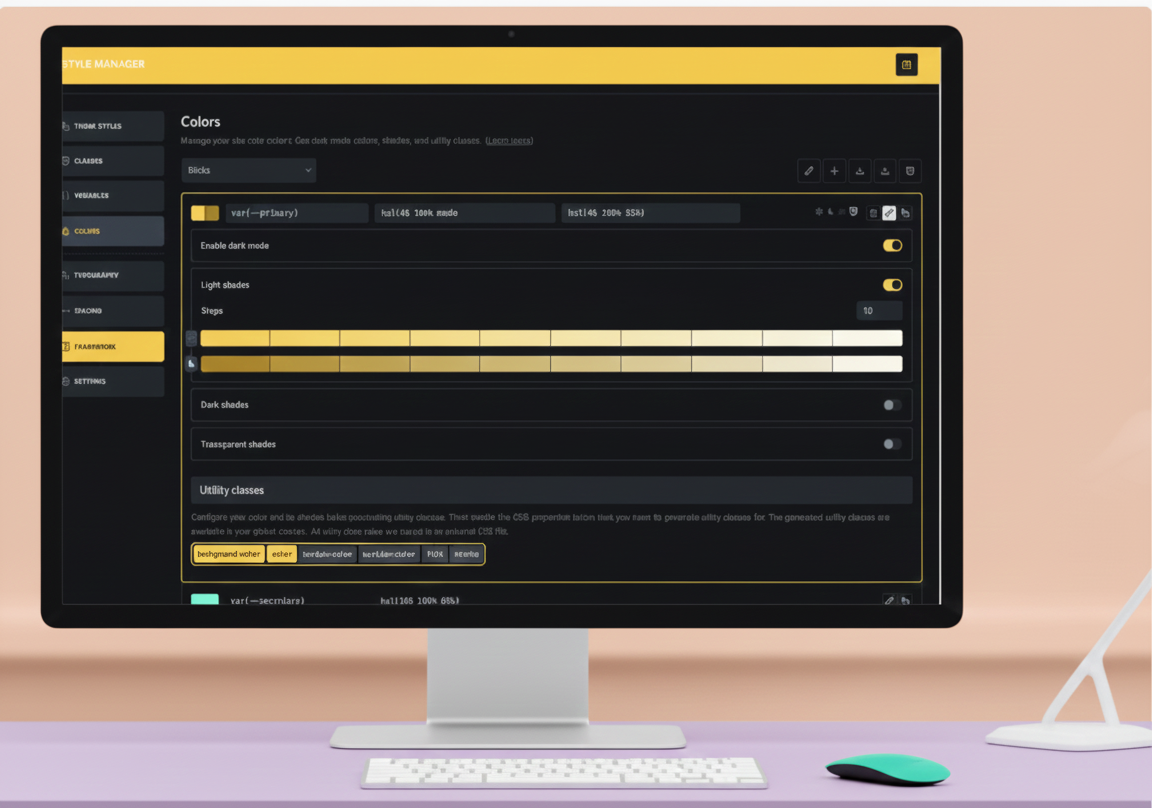
Bricks gives you a traditional visual builder experience. You drag elements onto the canvas, click to style them, and see changes in real time. The interface feels like Webflow or Elementor if you’ve used those.
The canvas resizes based on fixed breakpoints (desktop, tablet, mobile). You style each element at different screen sizes. It’s intuitive and fast once you get the hang of it.
Here’s what makes Bricks efficient:
- Copy and paste elements between tabs (a huge time saver)
- Global classes for consistent styling
- Template library with pre-built sections
- Query loop builder for dynamic content
- Dark mode in the editor
One thing Bricks users love: the speed. The builder itself is fast. Pages load quickly. And you can get sites done without much fuss.
Building in Etch
Etch feels less like a traditional page builder and more like a code editor with visual superpowers.
You see clean panels for HTML, CSS, JavaScript, and your element tree. No overwhelming number of click-through menus. Instead, you write code directly or use the UI inputs to generate it for you.
The canvas is dynamically responsive. Etch automatically inserts media queries and container queries as you work. It’s the only builder that supports tokenized queries, which means you can create reusable responsive patterns.
Here’s where Etch shines:
- Direct HTML, CSS, and JavaScript editing
- Full selector system (pseudo-elements, complex selectors, everything)
- Components with props and slots (like modern frameworks)
- Logic engine for conditional display
- Everything syncs with Gutenberg in real time
The workflow matches how modern developers actually work. According to the WordPress plugin directory, WordPress powers over 43% of all websites. Etch takes advantage of WordPress core features instead of building a separate system on top of it.
The Gutenberg Integration Story
This is a big deal that most comparisons skip over.
Bricks and Gutenberg: Bricks is working on authoring components as blocks, but it’s optional and incomplete. Right now, content built in Bricks stays in Bricks. Your clients can’t easily edit it in the native WordPress editor.
You CAN add custom code blocks, but they’re separate from your builder content.
Etch and Gutenberg: Everything you build in Etch is automatically authored to native Gutenberg blocks. Not just components. Everything. Templates, patterns, loops, conditional logic. All of it.
This creates what Etch calls “data liberation.” Your content isn’t locked in. Clients can edit in Gutenberg if they prefer. You could even switch away from Etch and keep your content.
The sync is bidirectional. Edit in Etch, see changes in Gutenberg. Edit in Gutenberg, see changes in Etch. It’s the first builder to truly unify both systems.
Dynamic Data and Custom Fields
Both builders handle dynamic content, but with different levels of flexibility.
Bricks:
- Good support for ACF, Pods, Meta Box, and other field plugins
- Dynamic data tags throughout the builder
- Query loop for creating custom layouts
- Support for posts, users, taxonomies, and third-party APIs
- Can’t pass dynamic data through WordPress custom fields
Etch:
- Support for posts, users, taxonomies, and raw JSON
- Can inject dynamic data anywhere
- Dozens of modifiers to manipulate data output
- Third-party API support is planned
- Built-in custom field management (no ACF needed)
Etch’s approach is more powerful if you know how to use it. You can create custom post types and custom fields directly in Etch without plugins. But Bricks has more established integrations with popular plugins right now.
Components and Reusability
If you build sites for clients, reusable components are essential.
Bricks Components: Bricks has decent component support. You can create reusable blocks and use them across your site. But there are limitations. No slots (placeholders for dynamic content). No logic-based variations. To apply logic to groups of elements, you need extra wrapper divs.
Etch Components: Full support for modern component architecture. You get props (to pass data in), slots (for flexible content areas), and logic-based variations. Components are authored as synced patterns in WordPress.
One Etch user described it as “one of the easiest and most powerful component engines available.”
The difference? Bricks components work fine for simple reuse. Etch components work like modern JavaScript frameworks (React, Vue, Svelte). If you’ve built components in those, Etch will feel natural.
Pricing: What You’ll Actually Pay
This is where things get interesting.
Bricks Pricing (2025):
- Starter: $79/year (1 site)
- Unlimited: $179/year (unlimited sites)
- Lifetime: $299 one-time (unlimited sites, lifetime updates)
Bricks used to offer cheaper lifetime deals ($149) but has moved to subscription-first pricing. The lifetime option is still available but costs more than it used to.
Etch Pricing (Pre-Launch): Based on pre-sale pricing (final pricing not announced):
- Standard: ~$500 one-time (15 sites)
- Agency: ~$800 one-time (50 sites)
Both include lifetime updates and support. No subscriptions.
Here’s the math. Etch is more expensive upfront. But if you build sites professionally, the per-site cost is competitive. The Agency plan works out to about $16 per site over its lifetime.
Bricks subscriptions add up over time. Three years of the Unlimited plan costs $537. Five years costs $895. The lifetime license at $299 is the better deal if you’re committed.
Community and Support
Bricks:
- 13,000+ member Facebook group
- Active public forum
- Large ecosystem of third-party add-ons
- Public roadmap with community voting
- Lots of YouTube tutorials and courses
The Bricks community is huge and helpful. Someone has probably solved whatever problem you’re facing. There are dozens of add-ons for extra features.
Etch:
- Private community (Circle-based)
- More curated, professional atmosphere
- High-quality exclusive tutorials
- Direct access to the development team
- Focus on education and best practices
Etch’s community is smaller but more focused. It’s designed for professionals who want deep discussions about web development, not just quick fixes.
Template Libraries and Starting Points
Bricks: Built-in template library with headers, footers, sections, and full pages. The templates are mostly community-created. There are also third-party template providers like Bricks Templates that sell premium designs.
You can create your own templates and export them to other sites. There’s even a “Remote Templates” feature to pull templates from any other Bricks site you have access to.
Etch: Etch partners with Frames (also by Kevin Geary), which offers wireframes and templates. The template system integrates with WordPress’s native template hierarchy.
The library isn’t as large as Bricks yet because Etch is newer. But the focus is on teaching you to build properly, not just importing pre-made designs.
Performance Comparison
Both builders are built for speed, but they achieve it differently.
Bricks Performance:
- Theme-based (no separate plugin needed)
- Minimal JavaScript dependencies
- Support for popular optimization tools
- Generally faster than Elementor or Divi
- Clean container-based layout system
Etch Performance:
- Built with Svelte 5 (lightweight JavaScript framework)
- Loads only necessary JavaScript per page
- Semantic HTML helps with SEO
- Native Gutenberg integration reduces overhead
- Outputs standards-compliant code
In real-world tests, both perform well. Bricks has the advantage of being proven over years. Etch has modern architecture that should age well.
The AI Development Advantage
This is where Etch has a unique edge in 2025.
If you use AI tools like ChatGPT or Claude to generate code, Etch makes it incredibly easy to implement. Just copy HTML, copy CSS, copy JavaScript, and paste them into their respective panels. Two or three steps and you’re done.
With Bricks, you’d need to convert that generated code into Bricks’ structure. You’d click through menus, set up elements, apply styles. It’s more steps and less direct.
One developer who uses Etch said: “Instead of searching forums for ‘how to do X in Bricks,’ I found myself searching for ‘how to do X in CSS.’ The difference is profound.”
That’s transferable knowledge. Learning CSS helps you everywhere. Learning a proprietary builder only helps you in that builder.
The Maturity Factor
Bricks:
- Launched in 2021
- Version 2.0 released with major improvements
- Stable and production-ready
- Well-documented
- Extensive ecosystem
You know what you’re getting. Thousands of sites run on Bricks without issues.
Etch:
- Still in pre-release (as of January 2025)
- Weekly updates with new features
- Fast development progress
- Not all features implemented yet
- Higher risk as an early adopter
Etch is moving fast. Users report development is ahead of schedule. But it’s not fully stable yet. If you need to launch sites NOW, Bricks is the safer choice.
If you’re okay being an early adopter and want to be part of building the future, Etch is exciting.
Which Builder Wins at What
Bricks is better for:
- Quick project turnaround
- Beginners to intermediate users
- Teams with mixed skill levels
- Sites that need extensive third-party integrations
- People who want proven, stable software
- Traditional page builder workflow
Etch is better for:
- Code quality and web standards
- Professional developers
- Sites requiring client content editing in Gutenberg
- Complex CSS requirements
- Working with AI-generated code
- Long-term maintainability
- Projects where vendor lock-in is a concern
Real-World Use Cases
Use Bricks when: You’re building a standard business website with WooCommerce integration. The client needs it done in two weeks. They don’t care about code quality, just results. You want templates to speed things up. Bricks gets it done fast.
Use Etch when: You’re building a custom web app that needs complex conditional logic. The client wants to manage their own content in WordPress. You care about semantic HTML and accessibility. You want code you’d be proud to show another developer. Etch gives you that control.
The Learning Curve
Bricks: Moderate learning curve. If you’ve used any modern page builder, you’ll feel at home quickly. The interface has a lot of options, which can overwhelm beginners at first. But it’s intuitive once you understand the logic.
Most people are productive in Bricks within a week.
Etch: Steeper learning curve. You need to understand HTML, CSS, and web development fundamentals. The interface is cleaner, but it assumes you know what you’re doing.
The payoff? You’re learning real skills that transfer to any project, not just Etch.
Most people familiar with code are productive in Etch within a few days. Complete beginners might struggle initially but build better foundations.
The Vendor Lock-In Question
This matters more than most people think.
Bricks: Your content is tied to Bricks. If you switch builders later, you’re rebuilding from scratch. This is true for most page builders, so it’s not unique to Bricks. But it’s still lock-in.
Etch: Everything outputs to native Gutenberg blocks. You can export your content with WordPress’s standard tools. If Etch disappeared tomorrow (unlikely), your content remains usable in WordPress.
Think about this over a 5-10 year timeline. Which risk are you more comfortable with?
Making the Decision
Here’s how to decide:
Choose Bricks if:
- You need to deliver sites quickly
- You want a proven, stable platform
- You prefer visual clicking over code
- Your clients won’t edit complex content
- You value a large community and ecosystem
Choose Etch if:
- You care about code quality and web standards
- You want to learn proper web development
- You use AI tools to generate code
- Your clients need to edit in Gutenberg
- You’re okay being an early adopter
And here’s the thing. You don’t have to choose just one forever. Some developers use both. Bricks for quick client sites. Etch for projects where code quality matters more.
What’s Coming Next
Bricks Roadmap: Version 2.0 introduced components, native filtering and sorting, live AJAX search, and a global class manager. The team actively develops based on community votes. Expect steady improvements to existing features.
Etch Roadmap: WooCommerce integration, version control, and many more features are planned. The development pace is faster than expected. The team is adding features weekly.
The Bottom Line
Bricks is the smart choice if you want to build professional WordPress sites efficiently with a tool that’s proven and stable. It’s fast, capable, and backed by a huge community.
Etch is the exciting choice if you’re ready to embrace a new way of building that prioritizes code quality, web standards, and data liberation. It’s riskier as an early adopter, but the potential payoff is huge.
Neither is better in all situations. They’re solving different problems.
The best builder for you depends on what you value: speed and stability (Bricks) or code quality and future-proofing (Etch).
FAQ
Is Etch really worth the higher price compared to Bricks?
It depends on what you value. Etch costs more upfront but offers data liberation (your content isn’t locked in) and teaches transferable web development skills. Bricks is cheaper initially and proven to work. For agencies building multiple sites, both have similar per-site costs over time. The bigger question is whether you want proprietary tools or web standards.
Can I use both Bricks and Etch on the same WordPress site?
Technically yes, but you shouldn’t. They’re both visual builders that control your theme output. Using both would create conflicts and confusion. Pick one builder and stick with it for each project. Some developers own both and use Bricks for some sites and Etch for others based on project needs.
How hard is it to switch from Bricks to Etch?
Very hard. Your Bricks content won’t transfer to Etch automatically. You’d need to rebuild your site from scratch. This is true for switching between any page builders. That’s why the vendor lock-in question matters when choosing. Plan to stick with whichever builder you choose for that site’s lifetime.
Does Etch work with popular WordPress plugins like ACF and WooCommerce?
Etch has built-in custom post type and custom field management, so you don’t need ACF. WooCommerce integration is planned but not available yet as of early 2025. Bricks has established integrations with ACF, Pods, Meta Box, and WooCommerce right now. If you need those integrations immediately, Bricks is the safer choice.
Which builder is better for SEO?
Both produce clean code that’s good for SEO. Etch has an advantage with semantic HTML by default, which search engines prefer. But Bricks is also SEO-friendly compared to older builders. The bigger SEO factors (content quality, site speed, mobile optimization) are things you control regardless of builder. Either one works fine for SEO if you use it properly.
Can my clients edit content after I build their site?
With Bricks, clients can edit within the Bricks interface, but there’s a learning curve. Most clients find it complex. With Etch, everything is authored to Gutenberg blocks automatically. Your clients can edit in the familiar WordPress editor they already know. This is a huge advantage for client handoff and reduces support requests.